



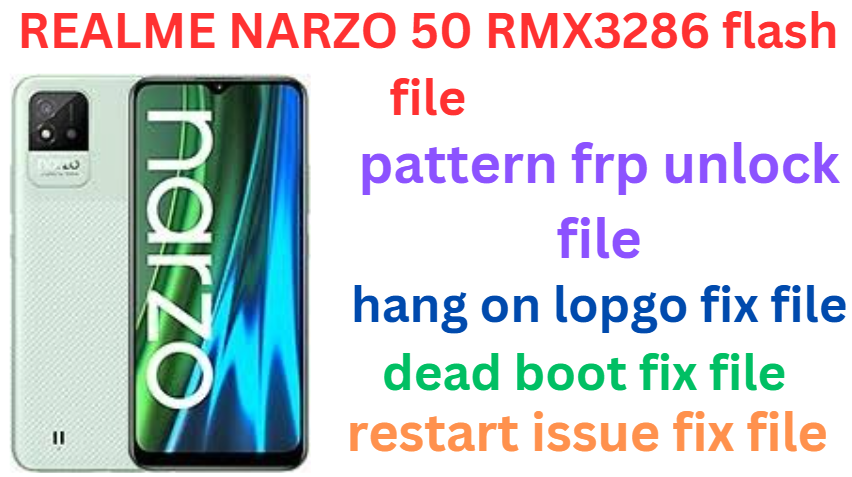
Realme Narzo 50 RMX3286 (Stock Rom) Flash File
Realme Narzo 50 RMX3286 Latest Flash File used for flash and unlock your device fix pattern lock, FRP and other problems like hang on logo, brick after software update or in any experiment , fix hanging issue and other software related issues. Realme flash tool required login credential to run, if you don’t have then contact me for flash. it’s paid service. Always use latest flash file to flash your device.
Download Realme Narzo 50 RMX3286 FLASH FILE
RMX3286export_11_F.04_2023072819020000
RMX3286export_11_A.56_2022051300490000
RMX3286export_11_A.60_2022081218420000
PAID FILE
Reseller India
———————–
Ramzan Gsm
Gsm Online Services
Country : India
WhatsApp, https://wa.me/919036266587
Call +919036266587
Website : https://www.ramzangsm.com/
ALL MOBILE FLASHING UNLOCKING HANG ON LOGO FIX
SERVICE AVAILABLE VIA ULTRA VIEWER / TEAM VIEWER
ABOUT: Realme Narzo 50 RMX3286
The Realme Narzo 50 (model RMX3286), announced in February 2022, is a budget-friendly smartphone designed to offer a balance between performance and affordability.
Design and Display:
- Display: The device features a 6.6-inch IPS LCD with a resolution of 1080 x 2412 pixels, supporting a 120Hz refresh rate for smooth visuals.
Performance:
- Processor: Powered by the MediaTek Helio G96 chipset, the Narzo 50 is equipped with an octa-core CPU (2×2.05 GHz Cortex-A76 & 6×2.0 GHz Cortex-A55) and a Mali-G57 MC2 GPU, delivering reliable performance for daily tasks and moderate gaming.
- Memory and Storage: Available in configurations of 4GB or 6GB of RAM, and storage options of 64GB or 128GB, expandable via a microSD card slot.
Camera System:
- Rear Cameras: Triple-camera setup comprising a 50 MP main sensor (f/1.8), a 2 MP macro lens (f/2.4), and a 2 MP depth sensor (f/2.4), supporting features like LED flash, HDR, and panorama.
- Front Camera: A 16 MP (f/2.1) front-facing camera suitable for selfies and video calls.
-
Preparation
1. Backup Your Data: Flashing will erase all data. Make a full backup of your files, apps, and settings.
2. Ensure Battery Level: Charge your phone to at least 50% to avoid interruptions.
3. Download Required Files:
Stock Firmware: Download the latest official Realme NARZO 50 firmware for RMX3286 from GSMHUB24.COM website or trusted sources.
MSM TOOL: Required for MediaTek devices.
Drivers: Install MediaTek USB VCOM drivers on your PC.
4. PC with Windows OS: You’ll need a PC with a USB cable for the flashing process.
—
Flashing Process with MSM TOOL
1. Install USB Drivers:
Install the MediaTek USB VCOM drivers on your PC to ensure proper device connection.
2. Extract Firmware:
Unzip the downloaded firmware file to your PC. Ensure you locate the .scatter file.
3. Install MSMTOOL:
Download and extract the MSMTOOL.
Open the tool and launch the flash_tool.exe.
4. Load Firmware:
In MSMTOOL, click on the “Scatter-loading” option.
Select the scatter.txt file from the extracted firmware folder.
5. Select Flash Mode:
Choose the download option for flashing.
Uncheck “Preloader” to avoid accidental bricking unless you’re sure of compatibility.
6. Connect Device:
Turn off your Realme NARZO 50.
Hold the Volume Down or Volume Up button and connect it to your PC via USB.
7. Start Flashing:
Click on the “Download” button in MSM TOOL.
The flashing process will start and may take several minutes.
8. Completion:
Once finished, you’ll see a green checkmark.
Disconnect the device and reboot it.
Warnings
Ensure you use the correct firmware for the RMX3286 model to prevent bricking.
Flashing can void your warranty if it’s unofficial.
Proceed at your own risk if you’re not familiar with the process.