



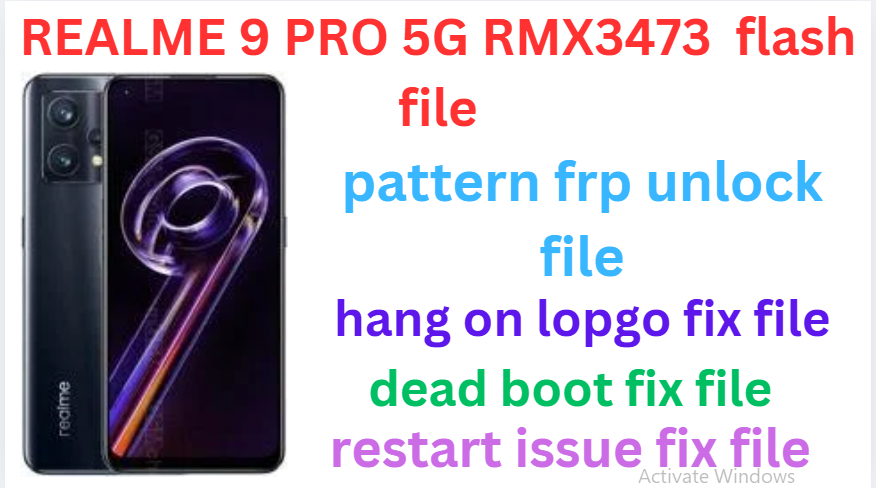
Realme 9 Pro 5G RMX3473 (Stock ROM) Flash File
Realme 9 Pro 5G RMX3473 Latest Flash File used for flash and unlock your device fix pattern lock, FRP and other problems like hang on logo, brick after software update or in any experiment , fix hanging issue and other software related issues. Realme flash tool required login credential to run, if you don’t have then contact me for flash. it’s paid service. Always use latest flash file to flash your device.
Download Realme 9 Pro 5G RMX3473 FLASH FILE
RMX3471export_11_C.18_2023080312540114
RMX3472export_11_A.42_2022081021370123
RMX3472GDPR_11_A.38_2022052401160000
PAID FILE
Reseller India
———————–
Ramzan Gsm
Gsm Online Services
Country : India
WhatsApp, https://wa.me/919036266587
Call +919036266587
Website : https://www.ramzangsm.com/
ALL MOBILE FLASHING UNLOCKING HANG ON LOGO FIX
SERVICE AVAILABLE VIA ULTRA VIEWER / TEAM VIEWER
ABOUT: Realme 9 Pro 5G RMX3473
-
- The Realme 9 Pro (RMX3473) is a mid-range 5G smartphone launched in February 2022, offering a 120Hz high refresh rate display, Snapdragon 695 processor, and a massive battery. It sits between the Realme 9 Pro+ and Realme 9 in the lineup, delivering a balance of performance, battery life, and affordability.
📱 Specifications:
- Display: 6.6-inch IPS LCD, 120Hz refresh rate, FHD+ (2412 × 1080 pixels), 480 nits brightness
- Processor: Qualcomm Snapdragon 695 5G (6nm, Octa-core) (Efficient and decent for gaming)
- GPU: Adreno 619
- RAM & Storage:
- 6GB RAM + 128GB Storage
- 8GB RAM + 128GB Storage
- Expandable storage via microSD (Hybrid SIM slot)
- Cameras:
- Rear: 64MP (main) + 8MP (ultrawide) + 2MP (macro)
- Front: 16MP AI Selfie Camera
Warning:
- Flashing your device will erase all data. Backup your important data before proceeding.Ensure you are using the correct firmware for your device to avoid bricking it.—
Requirements:
- 1. MSM Download Tool
Download the appropriate version for Realme 9 PRO. Firmware File
Obtain the correct official firmware for the Realme 9 Pro 5G RMX3473. Qualcomm USB Drivers
Install Qualcomm drivers to allow your computer to detect the device in EDL (Emergency Download Mode).4. USB Cable
Use the original or a high-quality USB cable.5. Windows PC
The MSM Tool only works on Windows.—Steps to Flash Realme 9 Pro 5G RMX3473:
1. Install Required DriversInstall the Qualcomm USB drivers on your PC.
Restart your computer after installation.
2. Download Firmware and MSM Tool
Extract the firmware and MSM Download Tool files into a folder.
3. Put Device in EDL Mode
Turn off the device.
Press and hold Volume Up + Volume Down buttons together.
Connect the device to the PC via a USB cable while holding the buttons.
4. Open MSM Download Tool
Launch the MSM Download Tool as an administrator.
Enter the credentials (if required). Usually, “oppo” or “realme” is used as the password.
5. Load the Firmware
In the MSM Download Tool, click on the Load Firmware button.
Navigate to the extracted firmware folder and select the correct .ofp file.
6. Detect Device
Ensure your device is detected in the tool. It should appear as a COM port (e.g., COM3 or COM4).
7. Start Flashing
Click the Start button in the MSM Download Tool.
Wait for the process to complete (this may take 5-10 minutes).
Once completed, you will see a “Download Complete” message.
8. Reboot Device
Disconnect the device and power it on.
—
Troubleshooting Tips:
Device Not Detected:
Check if the Qualcomm drivers are properly installed. Use another USB cable or port if necessary.MSM Tool Error:
Ensure the tool matches your device model and firmware. Disable antivirus temporarily as it may block the tool.Boot Loop After Flashing:
Perform a factory reset by booting into recovery mode.
- The Realme 9 Pro (RMX3473) is a mid-range 5G smartphone launched in February 2022, offering a 120Hz high refresh rate display, Snapdragon 695 processor, and a massive battery. It sits between the Realme 9 Pro+ and Realme 9 in the lineup, delivering a balance of performance, battery life, and affordability.